
Download AI Localizer – Smart Xcode Localization Tool for iOS & macOS
Overview
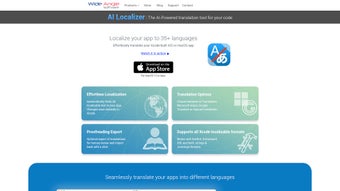
AI Localizer is a web‑based localization powerhouse built specifically for developers who work with Xcode projects. Whether you’re creating an iPhone app, an iPad experience, or a full‑blown macOS application, handling multilingual strings can be a tedious and error‑prone task. AI Localizer eliminates the guesswork by scanning your entire Xcode project, automatically extracting every localizable text element—from SwiftUI views and Storyboard files to classic .strings and the newer .xcstrings format.
Once the content is gathered, the platform offers a seamless workflow that lets you translate into any of 37 supported languages using AI‑driven engines, Microsoft Azure, Google Translate, or even your own manual entries. The translated strings are pushed back directly into the Xcode workspace, keeping the source code clean and the UI instantly updated. For teams that require an extra layer of quality control, the tool also supports CSV export and re‑import, so linguists can review and polish translations before they go live.
In short, AI Localizer streamlines the whole localization pipeline, saves developers hours of repetitive work, and helps deliver a truly global user experience without compromising security or speed.
Key Features & Capabilities
- Automatic Resource Detection: Scans SwiftUI, Storyboard, XIB, .strings, and .xcstrings files to pull every translatable string.
- 37‑Language Support: From Arabic and Mandarin to Swahili and Icelandic, the platform covers the most widely used locales.
- Multiple Translation Engines: Choose AI Translation, Microsoft Azure Cognitive Services, Google Translate, or provide manual overrides.
- One‑Click Sync with Xcode: After translation, AI Localizer writes the localized files back into the original Xcode project, preserving folder structure.
- CSV Export/Import: Export all translations for external review, then re‑import verified CSVs to update the project instantly.
- Context‑Aware Editing: Inline preview of UI elements lets you verify that long strings fit and that placeholders are preserved.
- Secure Cloud Processing: All data is encrypted in transit and at rest, complying with GDPR and other privacy standards.
- Version Control Friendly: Generated localization files are compatible with Git, enabling smooth collaboration among developers.
- Real‑Time Language Switching: Test your app in any supported language directly from the web interface without rebuilding.
- Free Tier & Affordable Upgrades: Start with a generous free quota; premium plans unlock higher volume AI translations and priority support.
Installation, Usage & Compatibility
Getting Started – No Download Required
Because AI Localizer is a cloud‑based service, you don’t install a traditional executable on your machine. Simply navigate to ailocalizer.com, create a free account, and you’re ready to upload a project. The web portal guides you through a secure OAuth connection to your Git repository (GitHub, GitLab, or Bitbucket) or a direct ZIP upload of your Xcode workspace.
Step‑by‑Step Workflow
- Connect Your Repository: Authorize AI Localizer to read your Xcode project files. The service respects your .gitignore rules, so only relevant source files are processed.
- Scan & Identify Strings: Click “Analyze Project”. The engine parses every SwiftUI view, Storyboard, XIB, and localization file, presenting a tidy table of source strings.
- Select Target Languages: Choose one or more of the 37 supported locales. You can also set a default AI engine for each language (e.g., Azure for Japanese, Google for Spanish).
- Translate & Review: Press “Translate”. AI results appear instantly. Use the built‑in editor to fine‑tune phrasing, adjust placeholders, or add context notes.
- Export/Import CSV (Optional): For large teams, click “Export CSV” to hand off to professional translators. Once they return the file, simply re‑import; the platform matches rows by key and updates the project.
- Push Changes Back to Xcode: Hit “Sync to Xcode”. AI Localizer creates or updates the appropriate .strings/.xcstrings files in your repository, then opens a pull request for you to merge.
Supported Operating Systems
AI Localizer works on any system that can run a modern web browser—Windows 10/11, macOS Ventura or later, Linux distributions, as well as mobile browsers on iOS and Android. Since the processing happens in the cloud, there is no need for heavy local hardware, making it ideal for remote teams and CI/CD pipelines.
Pros, Cons, FAQ & Final Thoughts
Pros & Cons
- Pros:
- Fully automated string extraction eliminates manual searching.
- Supports the most common Xcode file formats, including the newest .xcstrings.
- Multiple translation providers give flexibility and cost control.
- Secure cloud architecture meets enterprise privacy requirements.
- CSV workflow integrates smoothly with existing localization pipelines.
- Cons:
- Reliance on internet connectivity; offline use is not possible.
- Advanced AI translation quality varies by language and may need human review.
- Premium pricing for high‑volume projects can be significant for large enterprises.
Frequently Asked Questions
Is AI Localizer compatible with SwiftUI previews?
Yes. After translations are applied, the tool updates the .strings files used by SwiftUI previews, allowing you to see localized UI instantly without rebuilding the entire app.
Can I use AI Localizer with an existing CI/CD pipeline?
Absolutely. The platform provides a REST API and GitHub Actions integration that can trigger scans, translations, and pull‑request creation as part of your automated build process.
What security measures protect my source code?
All communication uses HTTPS/TLS encryption, and data at rest is stored with AES‑256 encryption. Access tokens are scoped to read‑only permissions unless you explicitly grant write access for sync operations.
How accurate are the AI translations?
AI translation quality is high for major languages (e.g., English, Spanish, German) but may need human post‑editing for niche or culturally nuanced content. The platform encourages a review step before final merge.
Is there a free version, and what are its limits?
Yes. The free tier includes up to 5,000 characters per month and access to Google Translate. Premium plans raise the limit and add Azure, custom glossaries, and priority support.
Conclusion & Call to Action
For iOS and macOS developers who want to ship globally without drowning in spreadsheet chaos, AI Localizer delivers a fast, secure, and developer‑friendly solution. Its ability to auto‑detect every localizable resource, combine AI‑powered translation with manual oversight, and push updates straight back into Xcode makes it a must‑have in any modern app‑development toolkit. Whether you’re a solo indie creator or part of a large enterprise, the free tier lets you test the workflow risk‑free, and the scalable pricing ensures you only pay for what you need.
Ready to eliminate the bottleneck of manual localization? Create your free account today, connect your Xcode project, and experience instant multilingual previews within minutes.



.png)



